Voice messages
为 Minecraft 添加语音消息的模组和插件。
需要安装 Simple Voice Chat。
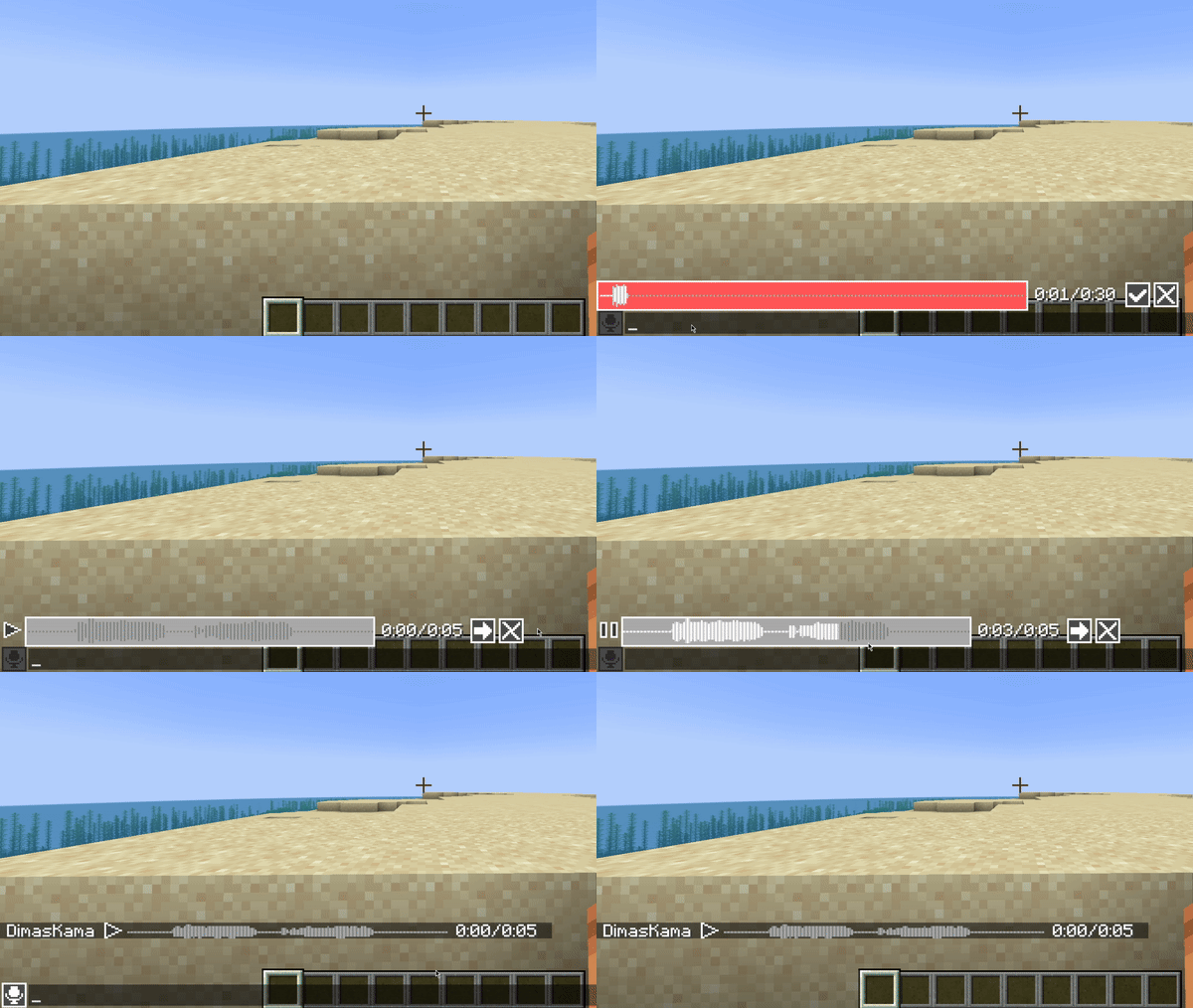
使用须知
此模组必须同时安装在服务端和客户端才能正常工作。如果玩家没有安装此模组,他将看不到语音消息。
此模组使用在 Simple Voice Chat 中配置的麦克风及其全部设置。因此请确保 Simple Voice Chat 设置中的 Voice Amplification 不要设为 -100%。
此外,如果禁用了 voicechat 声音,你将听不到语音消息。
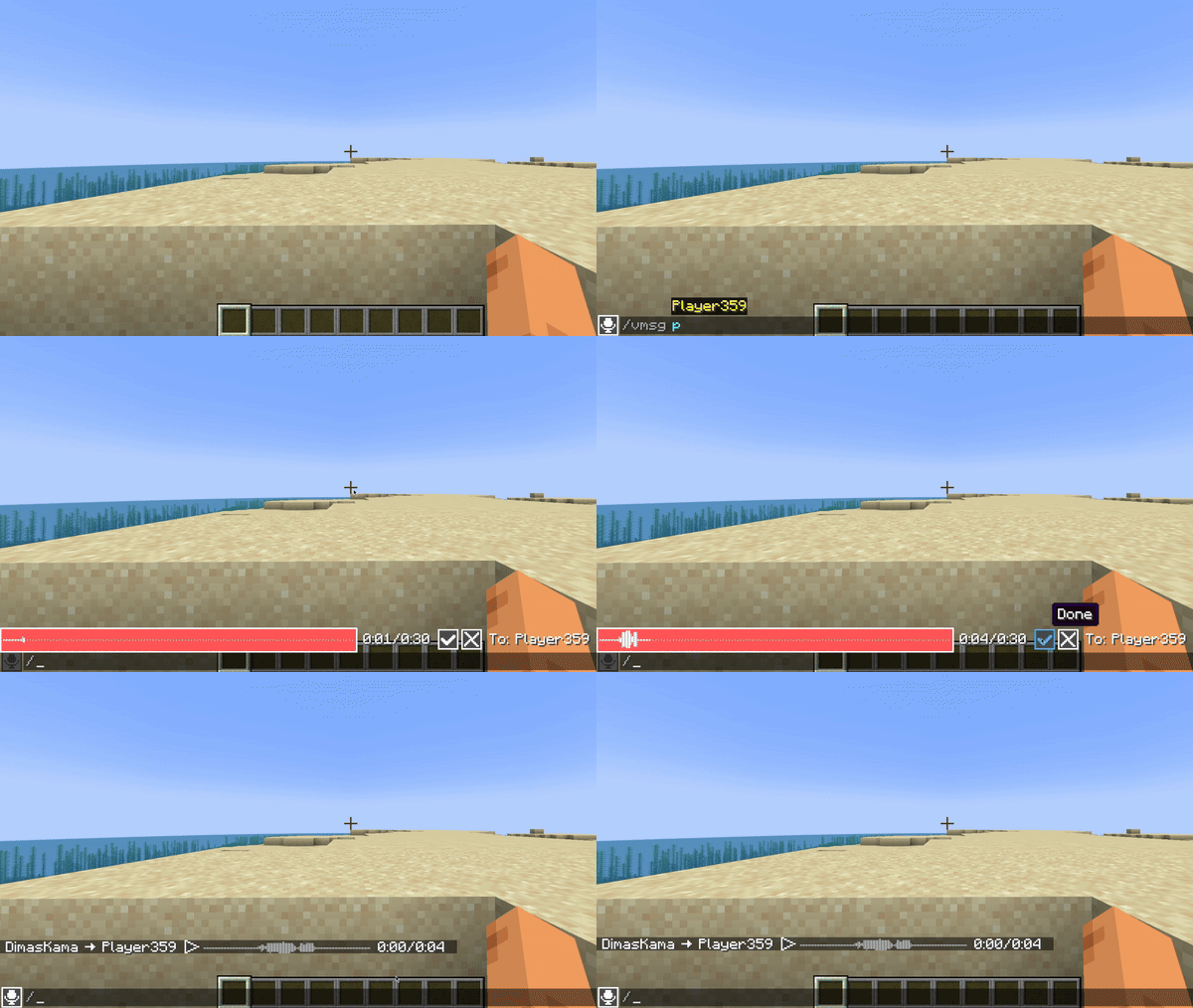
私人语音消息
你可以使用 /voicemsg 或 /vmsg 命令向玩家或你的队伍发送私人语音消息。
请注意,服务器可以通过权限限制你发送它们
服务端设置
配置
服务端配置文件位于 config/voicemessages_server.json
以下是默认值及其说明:
{
  "max_voice_message_duration_ms": 90000,  // 语音消息的最大长度(毫秒),范围为 [3_000;300_000]
  "voice_message_spam_punishment": "none", // 当发送的语音消息时长超过距离上一条消息发送后经过的时间时的惩罚。可选值:"none", "prevent", "kick"
  "voice_message_invalid_punishment": "prevent", // 发送无效语音消息(超过配置的最大时长)或在无权限的情况下发送语音消息时的惩罚。可选值:"none", "prevent", "kick"
  "mod_required": false,                         // 如果为 true,则未安装此模组的玩家加入时会被踢出
  "mod_not_installed_text": "VoiceMessages is not installed or is of an old version" // 未安装此模组的玩家被踢出时显示的消息
}
权限
-
voicemessages.send- 发送语音消息的权限。默认:true -
voicemessages.send.all- 向全局聊天发送语音消息的权限。默认:true -
voicemessages.send.team- 向玩家队伍发送私人语音消息的权限。默认:true -
voicemessages.send.players- 向玩家发送私人语音消息的权限。默认:true
API
此模组拥有自己的 API。
在 build.gradle 中进行配置:
repositories {
    // Other repositories

    maven {
        name "dimaskama"
        url "https://maven.dimaskama.net/releases"
    }
}

dependencies {
    // Other dependencies

    // Voice Messages API
    compileOnly "ru.dimaskama.voicemessages:voicemessages-api:${voicemessages_api_version}"
}
友情链接: 网易我的世界 | 泰拉瑞亚 | ocent云计算 | 米饭Minecraft插件文档 | 友链合作
历史访问人数:1,316,380 | 历史访问人次:1,629,148
今日访问人数:3,489 | 今日访问人次:3,717
昨日访问人数:26,708 | 昨日访问人次:29,775
Copyright © 2019-2026 我的世界服务器列表站. All rights reserved.
❤ Powered by GermMC 京ICP备17023959号-6